CRT vs Modern Displays for Retro Gaming
Updated August 7, 2026
Plugging a retro console into a modern television is often disappointing, and the reasons are specific and fixable. Understanding them tells you whether you need a CRT or just a better cable.
Why old games look wrong on new screens
Retro consoles output a low-resolution analog signal designed for a display technology that no longer exists in most homes. A modern flat panel has to convert that signal to its own fixed pixel grid, and the conversion is usually done by cheap built-in hardware optimizing for broadcast video rather than for games.
The result is a soft, smeared image with visible scaling artifacts. The console is working perfectly; the television is making a series of reasonable decisions for the wrong content. Nothing is broken, which is why the problem is so persistent and so confusing.
What CRTs actually did for the art
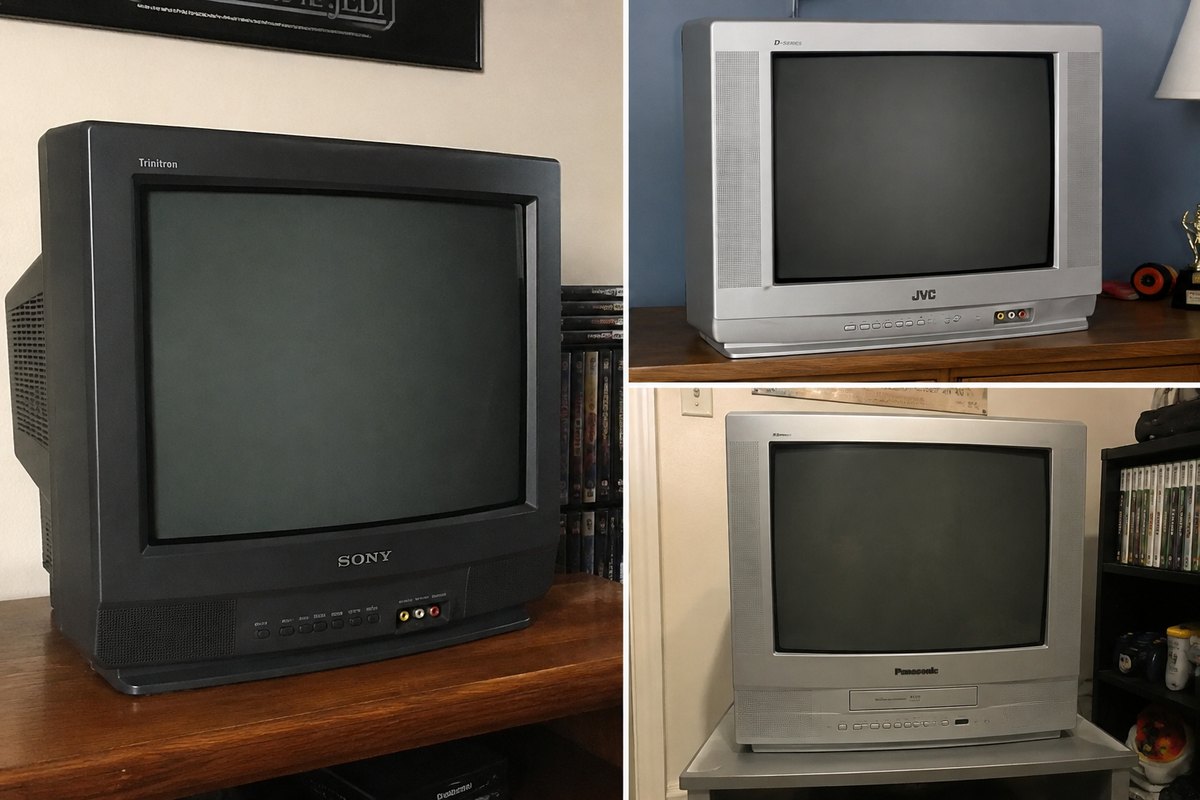
Games of this era were designed on and for CRT displays, and artists routinely relied on how those displays behaved. Scanlines, the natural blending of adjacent pixels, and the slight bloom of phosphor were all part of the intended image. Certain transparency and dithering effects were drawn specifically expecting the display to blend them.
On a pixel-perfect modern panel those effects break down into visible dither patterns and hard edges the artist never intended anyone to see. This is why "more accurate" reproduction of the raw signal can look less like the original game than a CRT does.
Input lag matters more than image quality for some games
CRTs draw the image essentially as the signal arrives, with no meaningful delay. Modern panels buffer frames to process them, and that processing takes time. For a slow-paced game the delay is unnoticeable; for anything requiring precise timing it is the difference between the game feeling right and feeling broken.
Most televisions include a game mode that disables the heaviest processing and substantially reduces lag. Turning it on is free, takes a minute, and is the single highest-value change most people can make before considering any hardware purchase.
Better cables before better hardware
Many retro consoles shipped with composite cables, which is the lowest-quality connection they support. The same console over S-Video, RGB, or component — depending on what the system offers — produces a dramatically sharper image with no other changes at all.
This is the cheapest improvement available and it is routinely skipped in favor of expensive upscalers that are then fed a poor signal. Establish what your console can output, get a good cable for it, and judge the result before spending more.
Upscalers and when they are worth it
A dedicated upscaler takes the console’s analog signal and converts it to a modern digital one with far more care than a television’s built-in processing, usually with much lower lag and optional scanline emulation. Good ones make a substantial difference and range from modest to genuinely expensive.
They are worth it if you have committed to playing on a modern display and care about the result. They are not worth it as a first purchase, before you have tried a proper cable and game mode, because those two changes alone resolve most complaints.
Should you buy a CRT?
CRTs give the most authentic result and generally the best latency, and until recently they were free. That has changed as demand from collectors has risen, and a good professional monitor now commands real money. They are also heavy, bulky, and increasingly difficult to repair as parts and expertise thin out.
For a dedicated retro setup with the space for it, a CRT is still the honest answer. For most people a decent cable, game mode, and eventually an upscaler gets close enough for far less cost and hassle. Either way, if you are buying a CRT as part of your collection, it is worth recording alongside your consoles rather than treated as furniture.